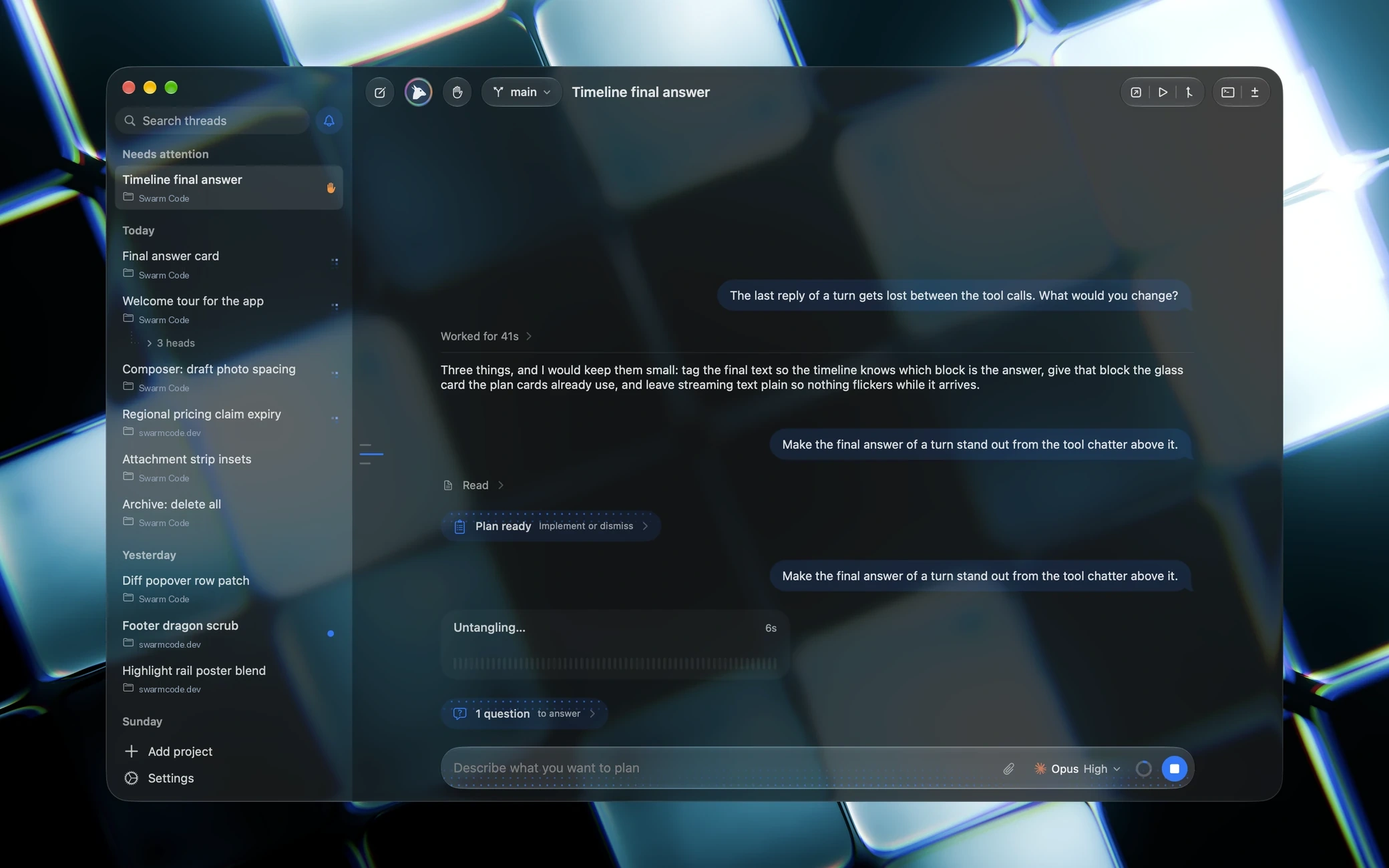
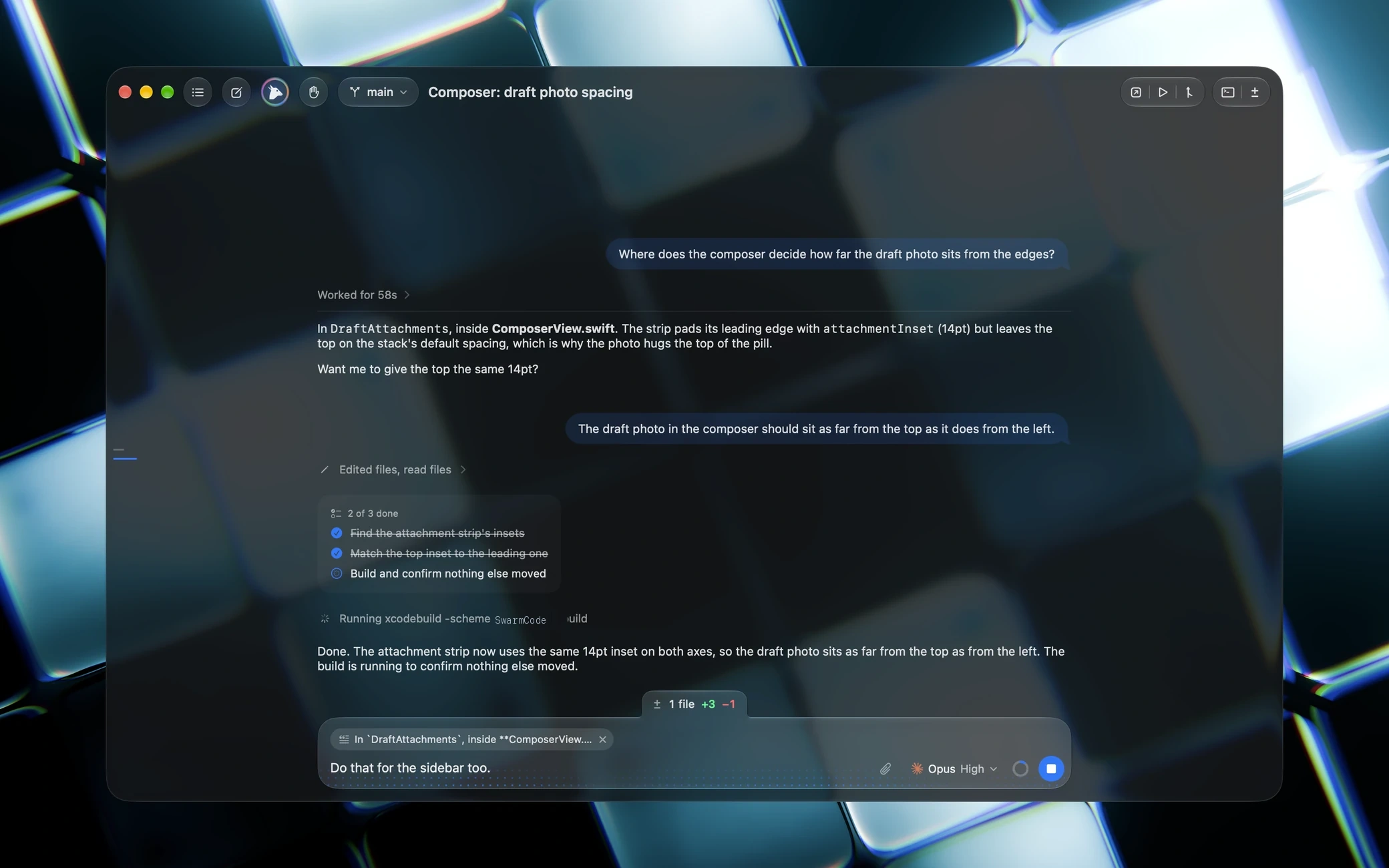
It asks.
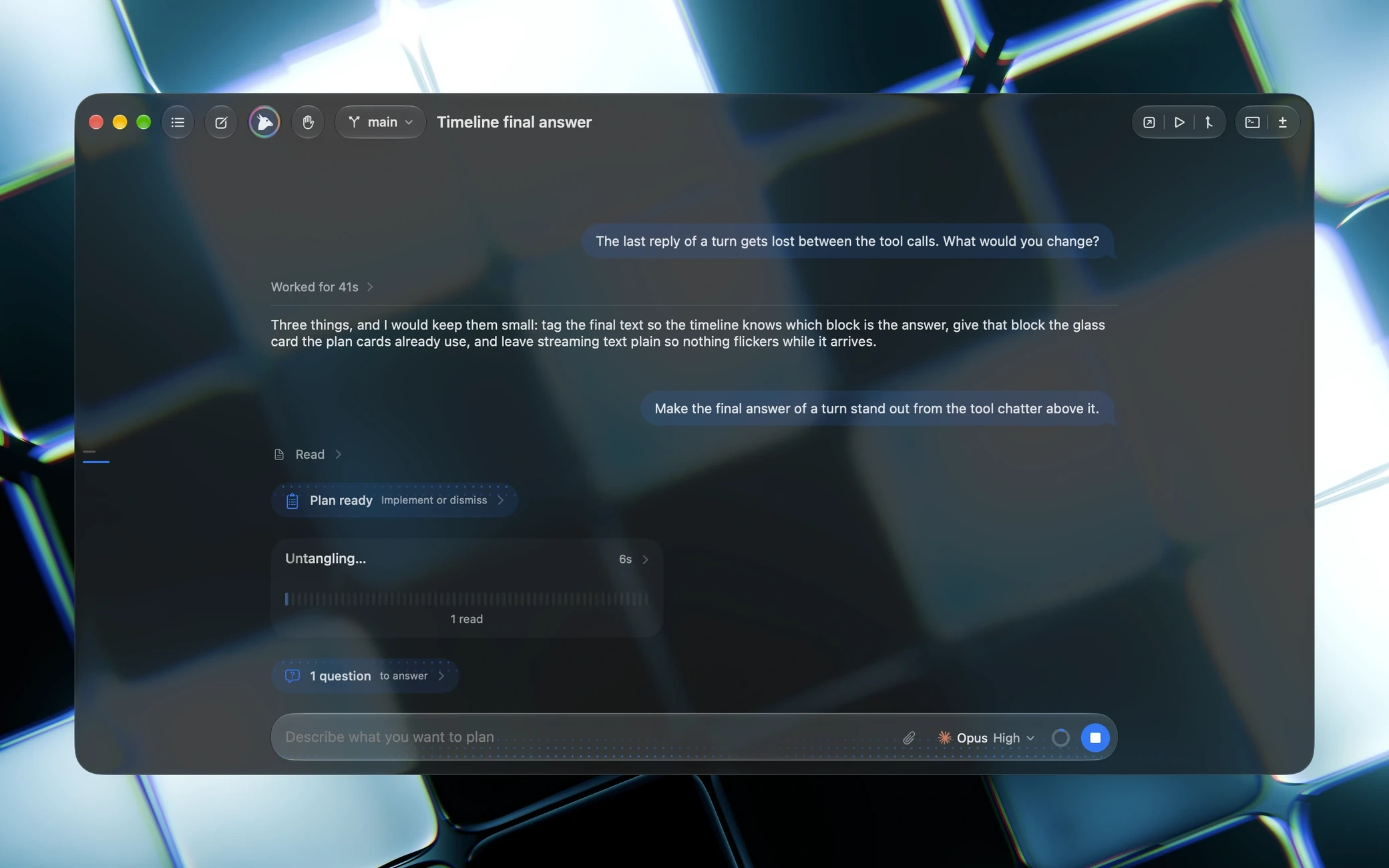
The agent proposes a plan, then lands a question in the chat box with its choices, then asks before it pushes.
 The coding app by Soumya Chakraborty
Hydra is on from your first chat: one chat leads a team of heads that work in parallel, each in a copy of your project, and their work lands as one merge. Codex, Claude, Cursor, OpenCode, Grok, Antigravity, Copilot, Command Code, Pi, DeepSeek, Meta and Z.ai, in one Liquid Glass window on your own subscriptions. Free and open source.
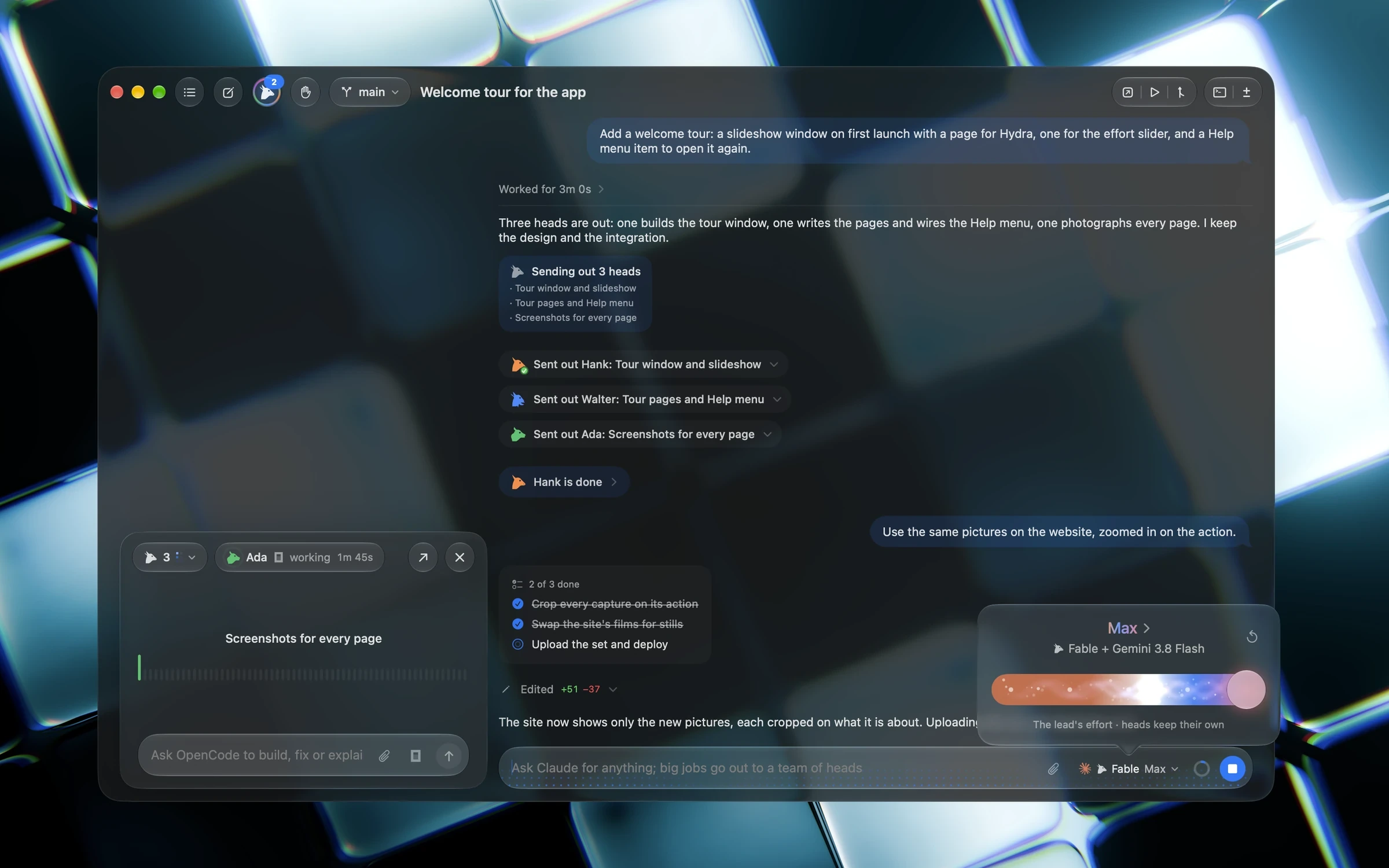
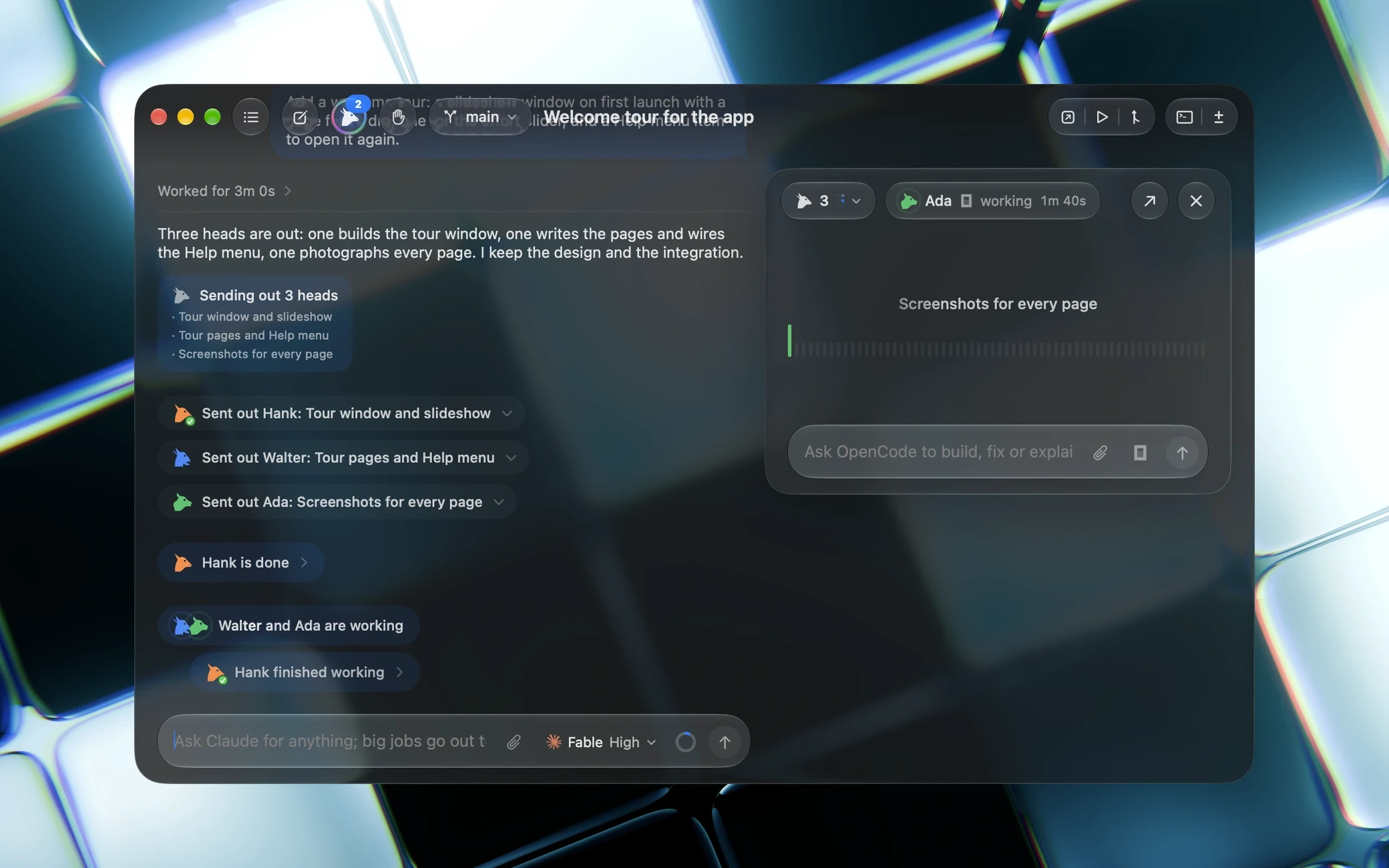
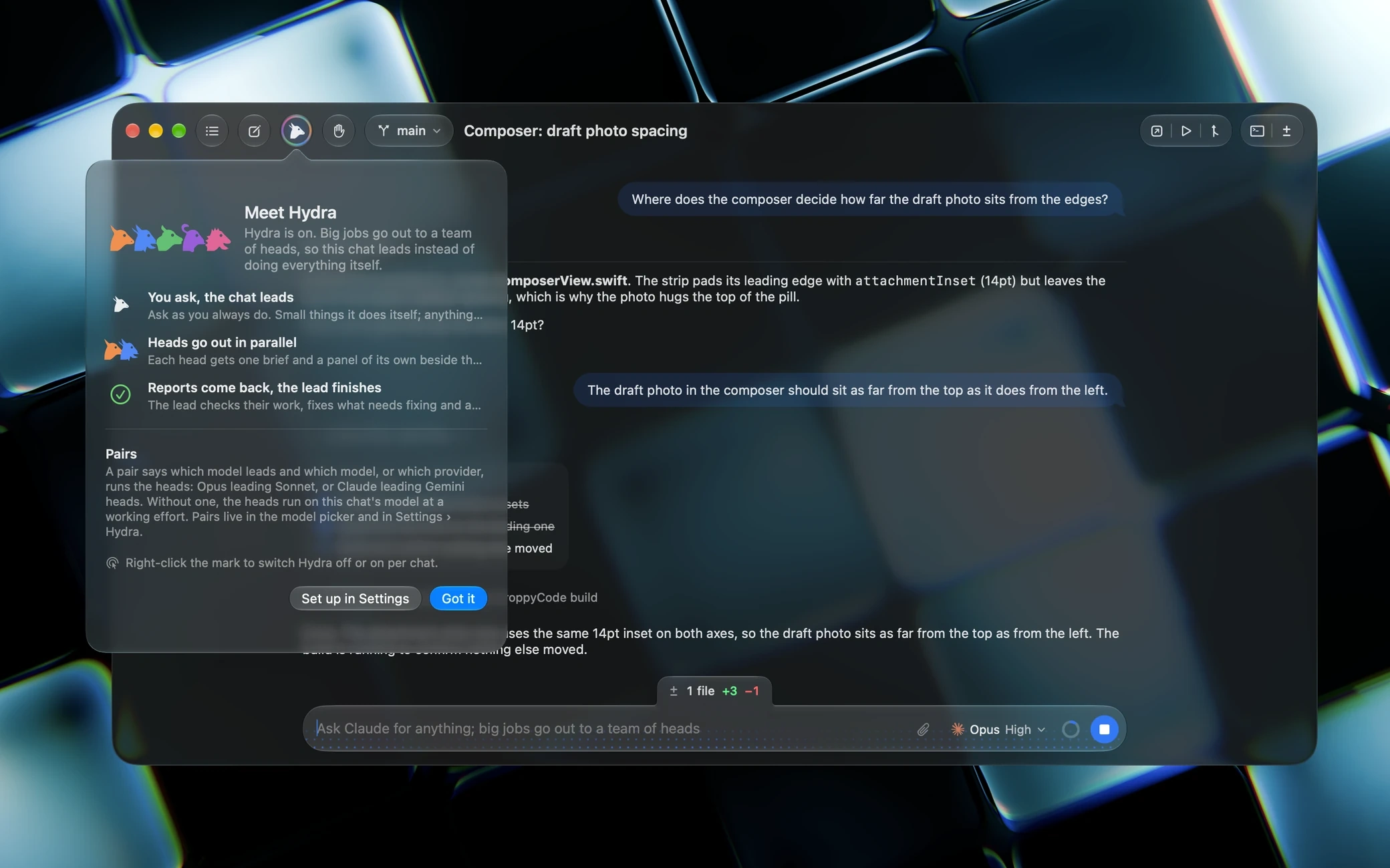
Hydra is on from your first chat. The lead writes the briefs, sends heads out in parallel, each in a copy of your project, checks their work when they report back and lands it as one merge.
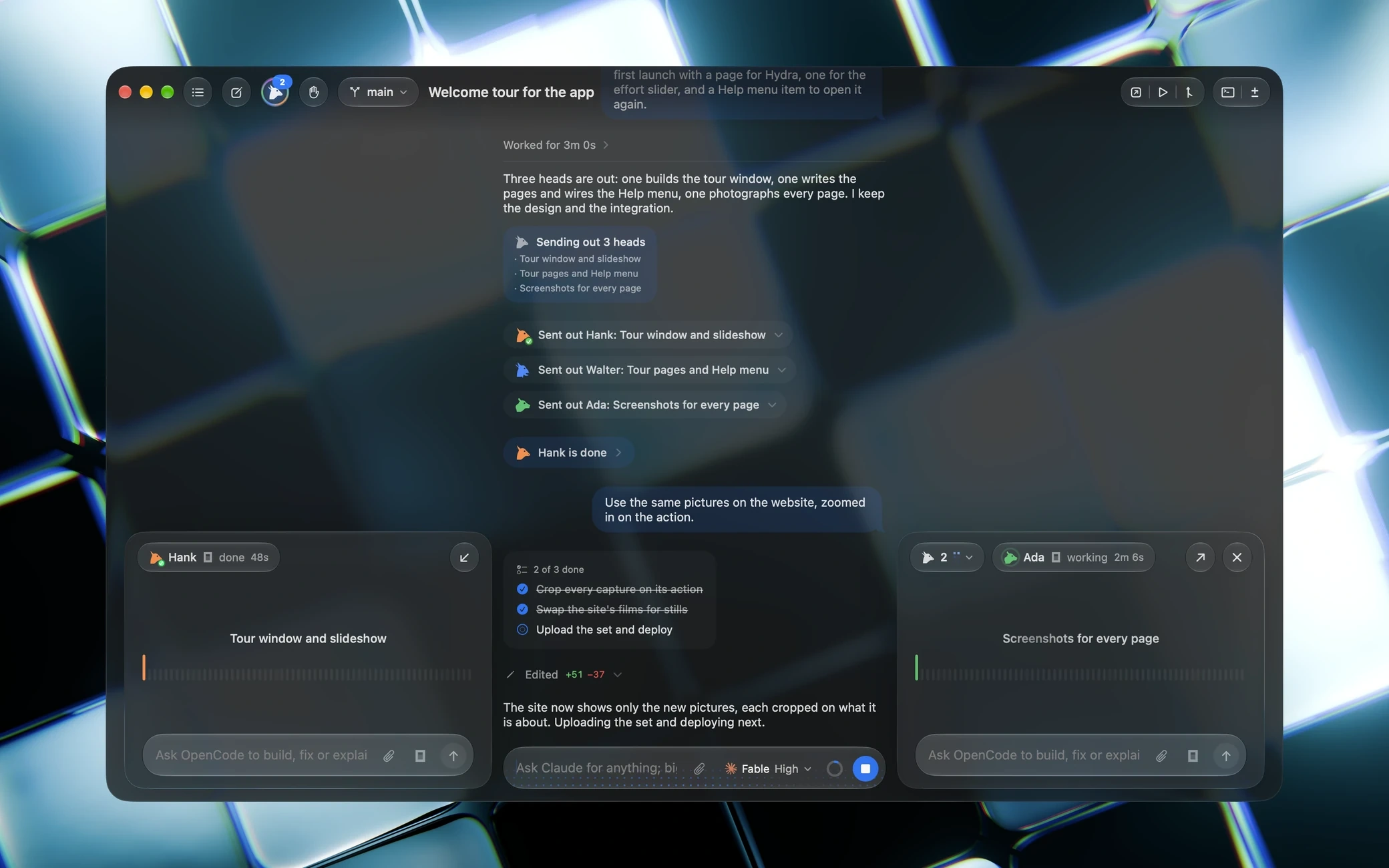
The lead sends out Hank, Walter, Ada and the rest, hears back from each one as a badge in the chat, and keeps the team's panel at hand. Plans and questions come to you the same way, with a wave along the top when they wait on you.
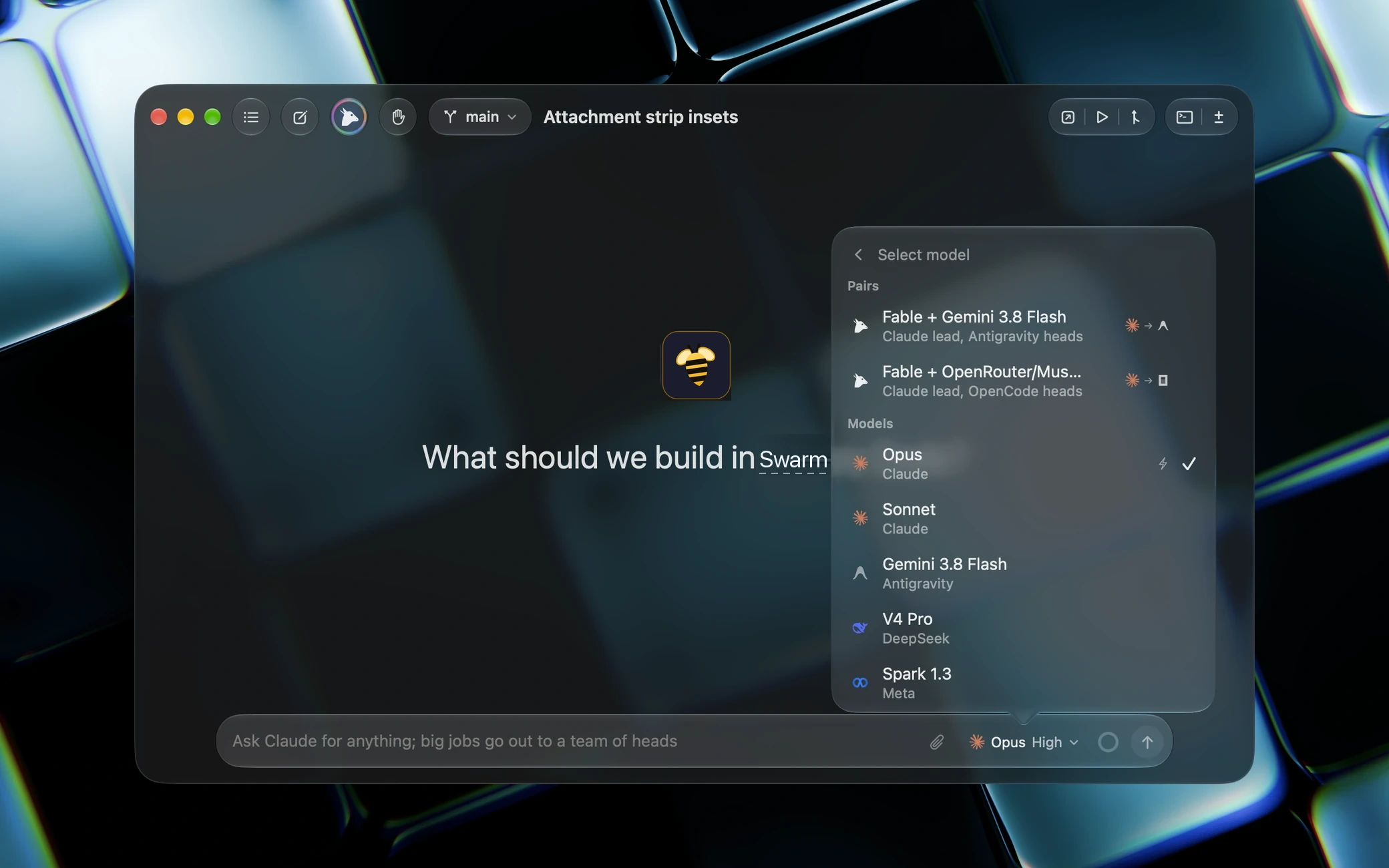
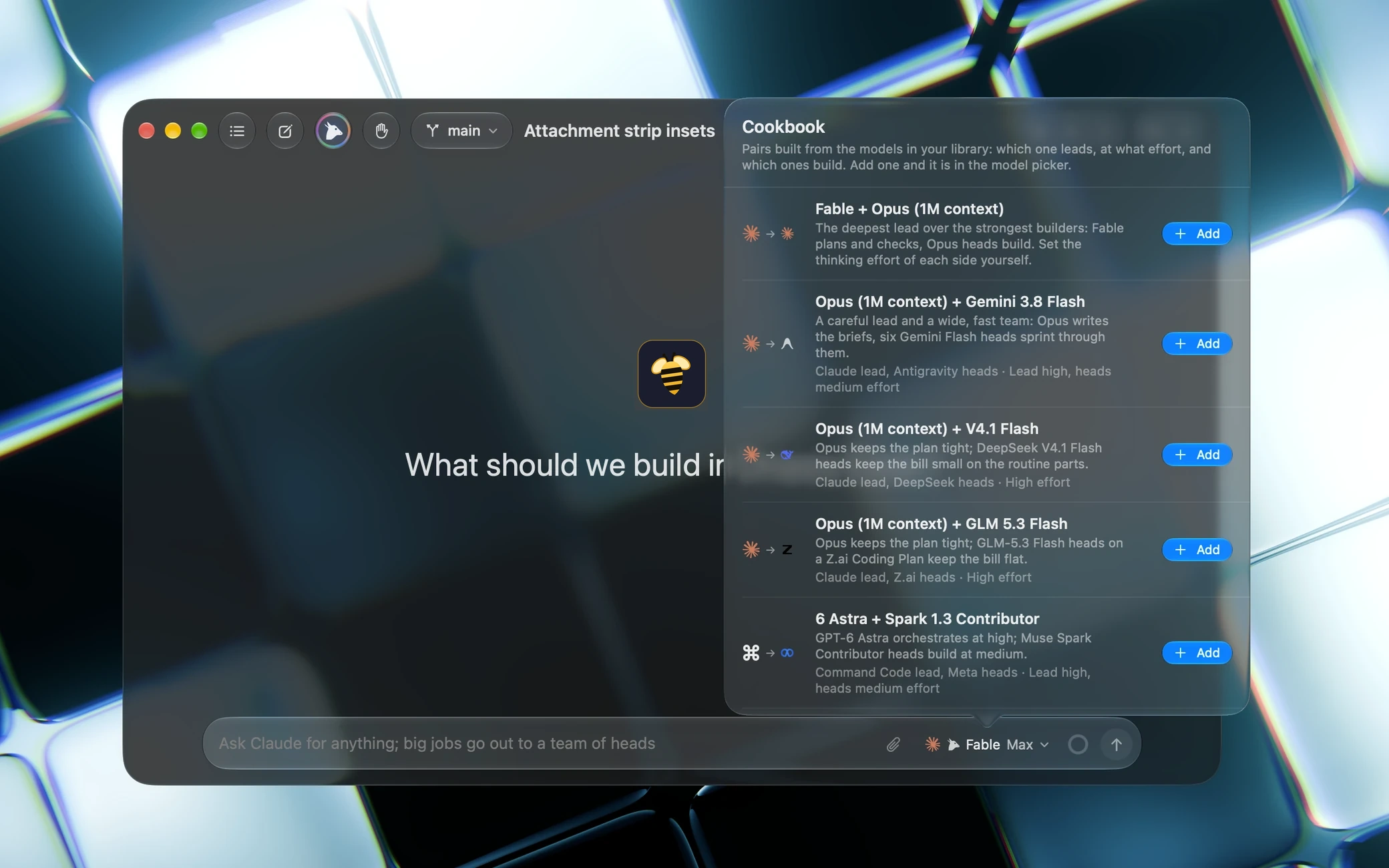
A pair says which model leads and which model, or which provider, runs the heads: a Claude lead over Gemini or OpenCode heads, picked straight from the model picker. Without a pair the heads take the chat's model at a working effort, so a Max lead sends out medium heads.
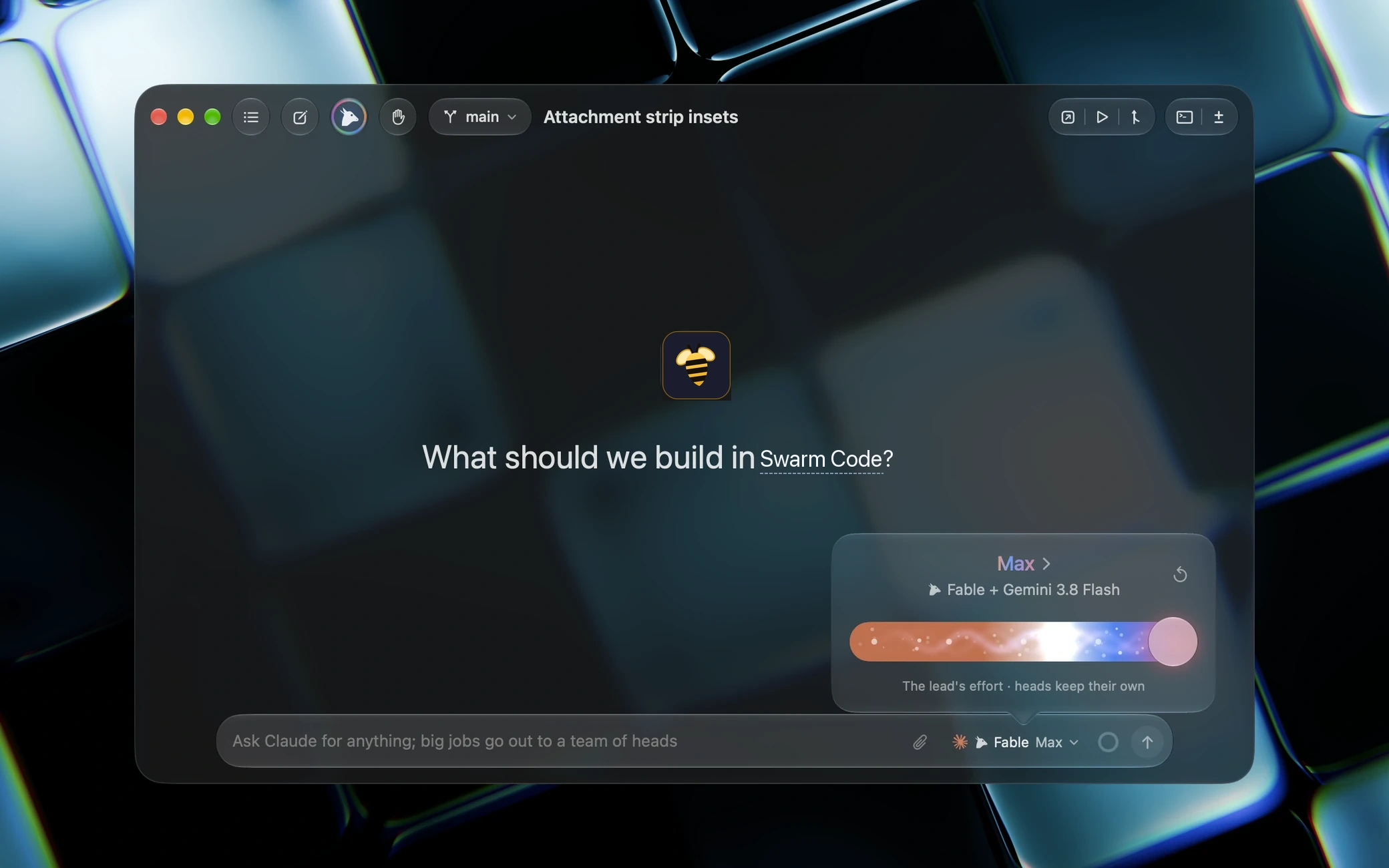
In a pair the slider is the lead's: its track blends the lead's colour into the heads', and says what effort the heads run at.
The team's panel, every head popped out of it and the usage panel dock to slots beside the chat, three a side on a 16-inch display, fewer on a smaller one. Drag one to any slot to reorder or swap, and let heads pop out on their own while there is room.
The real app, mid-work: asking, queueing, reviewing, and the palette.
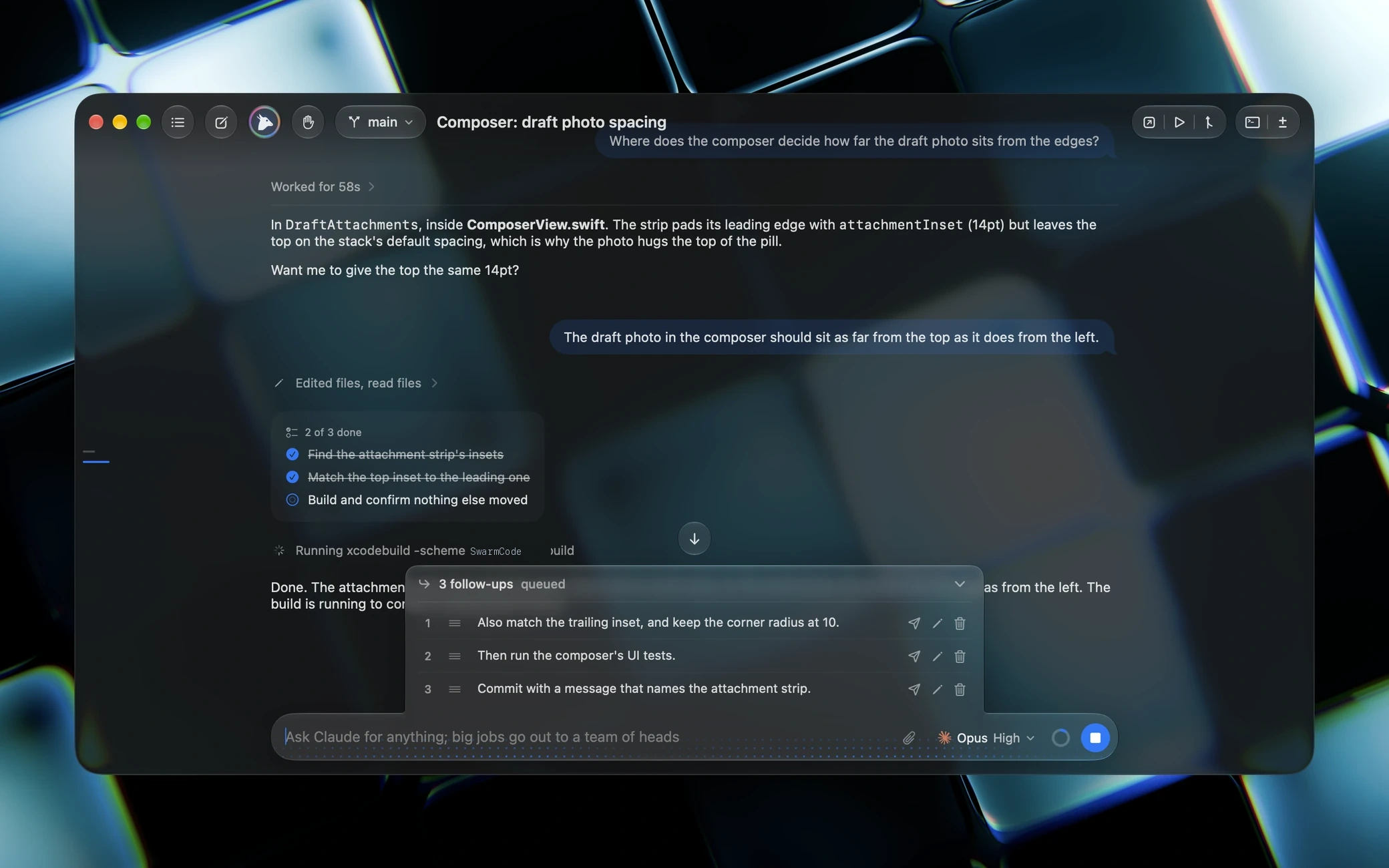
The agent proposes a plan, then lands a question in the chat box with its choices, then asks before it pushes.
Type while it works. Follow-ups line up above the chat box and go out one after another when the turn ends.
Each reply is captured as a checkpoint. Read the change in place, revert the turn, or rewind the whole thread.
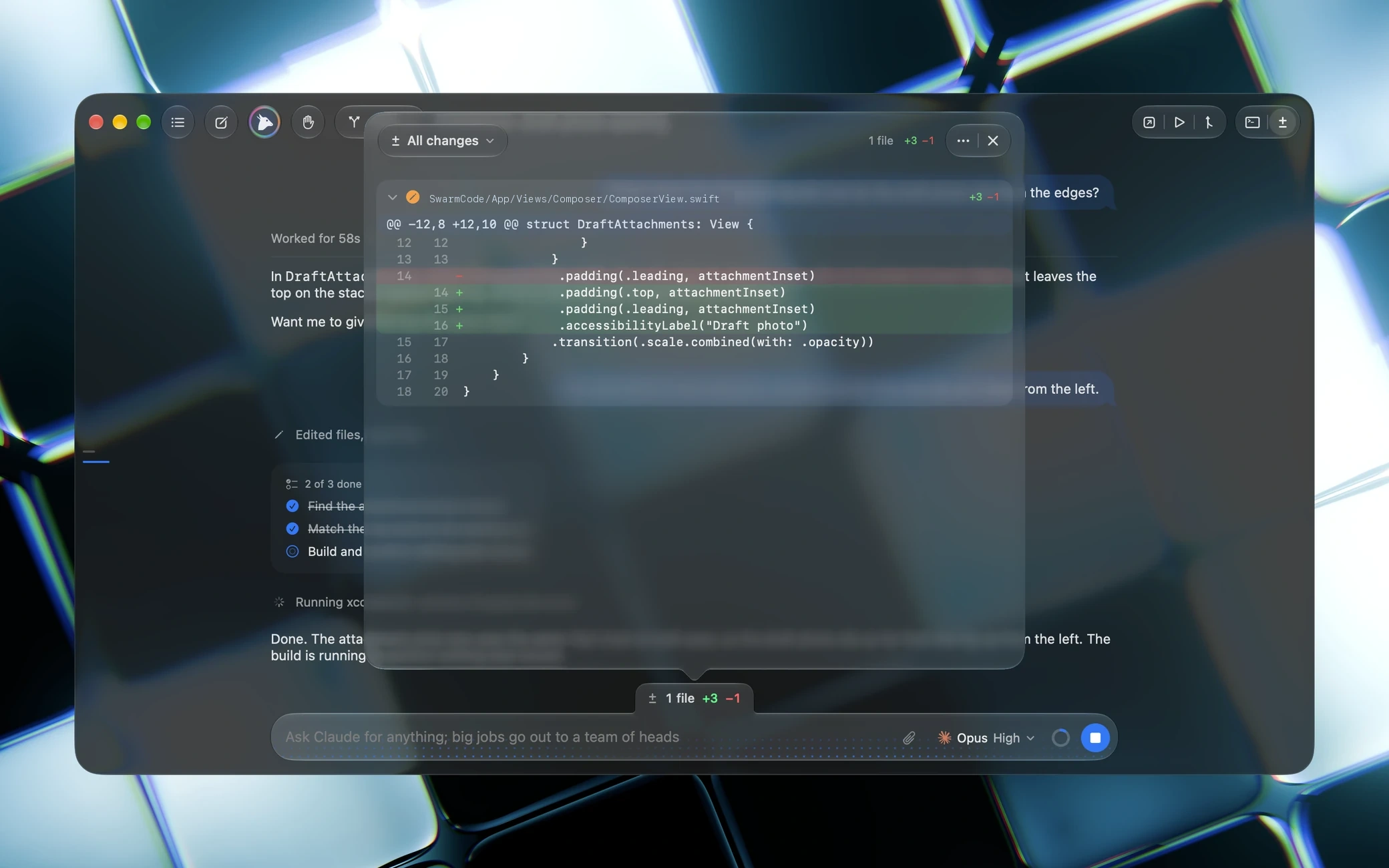
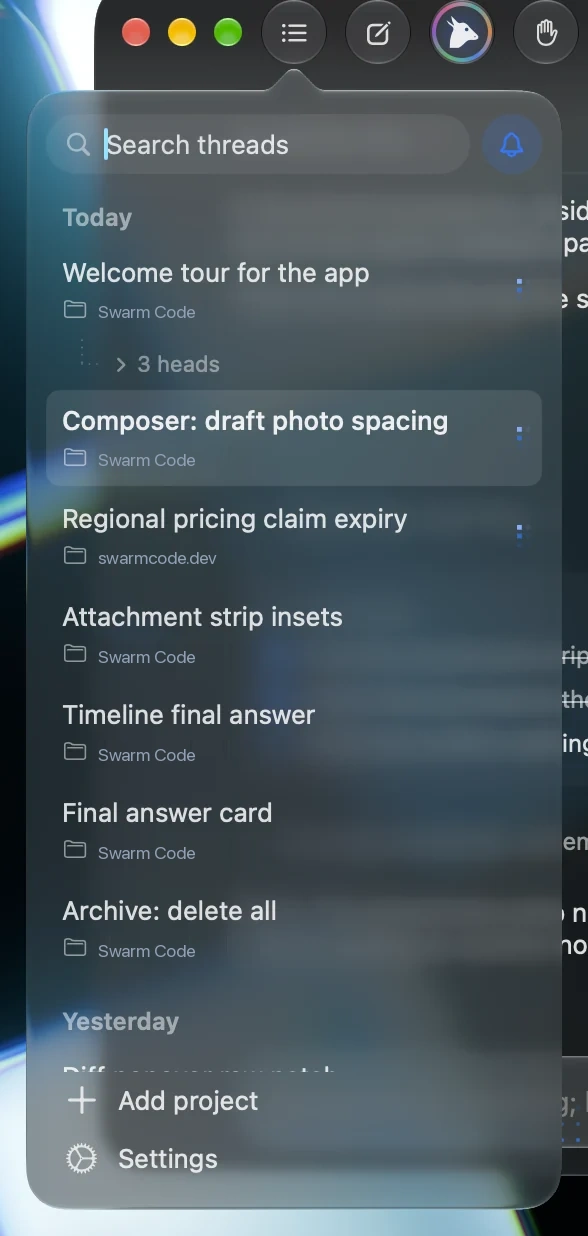
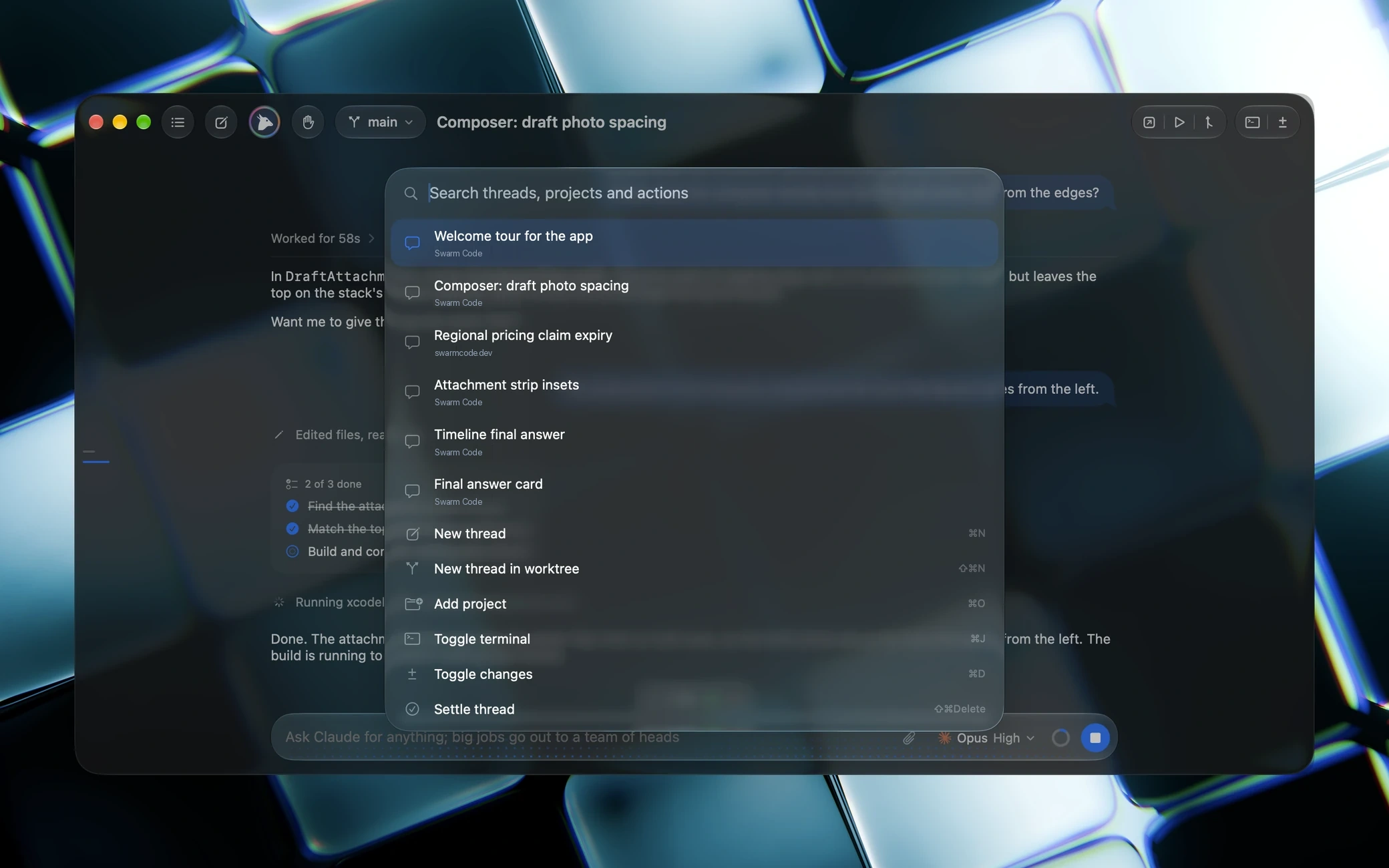
Threads, projects and every command, from ⌘K, over whatever you were doing.
Hydra's cookbook: ready-made pairs with a lead, its heads and an effort for each side, from the providers you have signed in.
The first time you turn Hydra on, a short intro shows what the lead and its heads will do before anything runs.
Hide the sidebar and the chat has the whole window; the Threads button floats the list back over it.
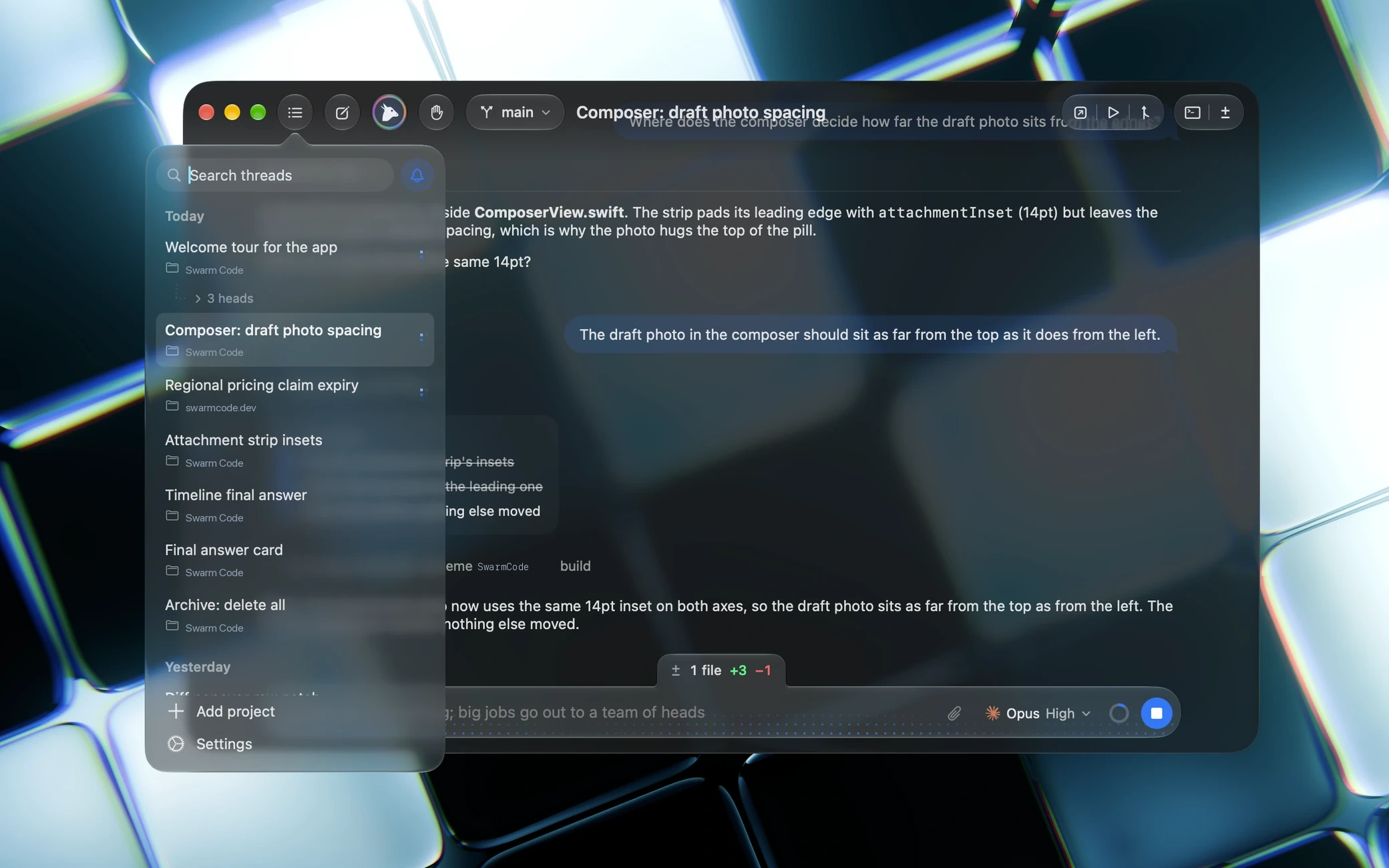
Swarm Code runs the command line tools you already have installed and signed in, on the subscriptions you already pay for. No keys to paste, no middleman, no markup.
Sign in once in your terminal, for example codex login or claude auth login, and Swarm Code picks it up.
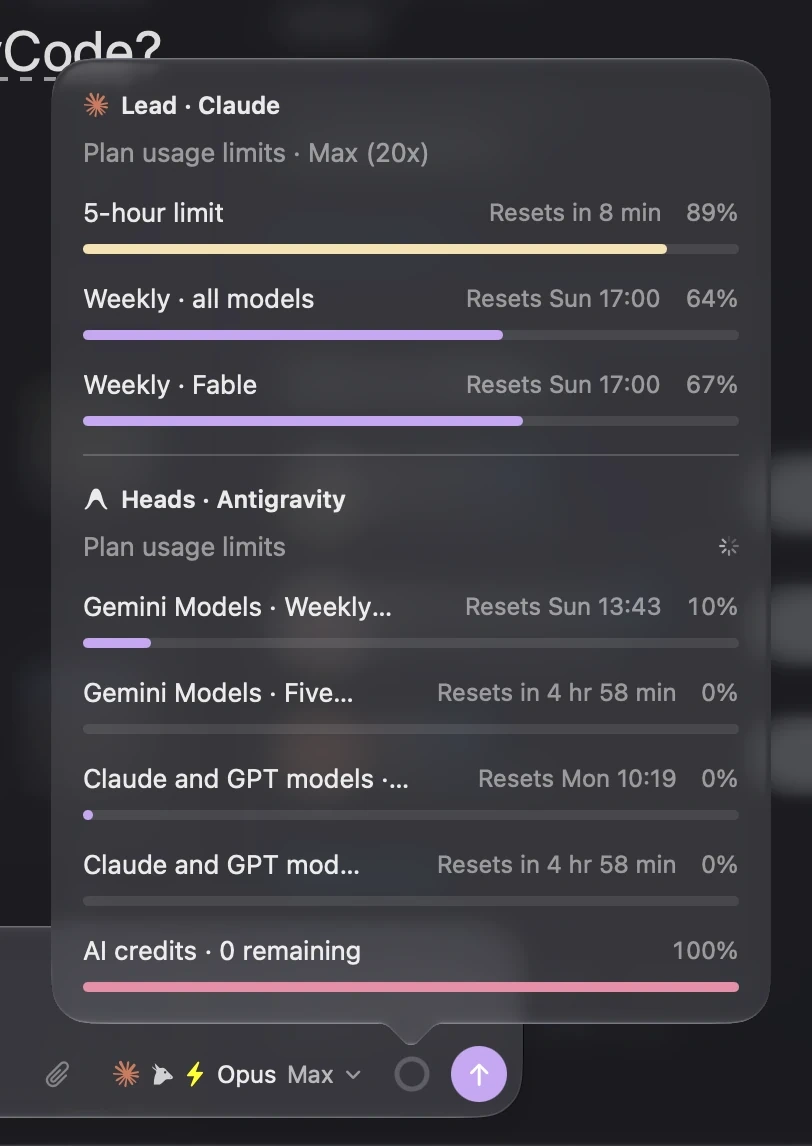
Click the ring beside the send button and every window you pay for is there: each rolling limit with its reset, and the credit left on a pay-as-you-go key. In a Hydra pair the lead's provider stacks over the heads'.
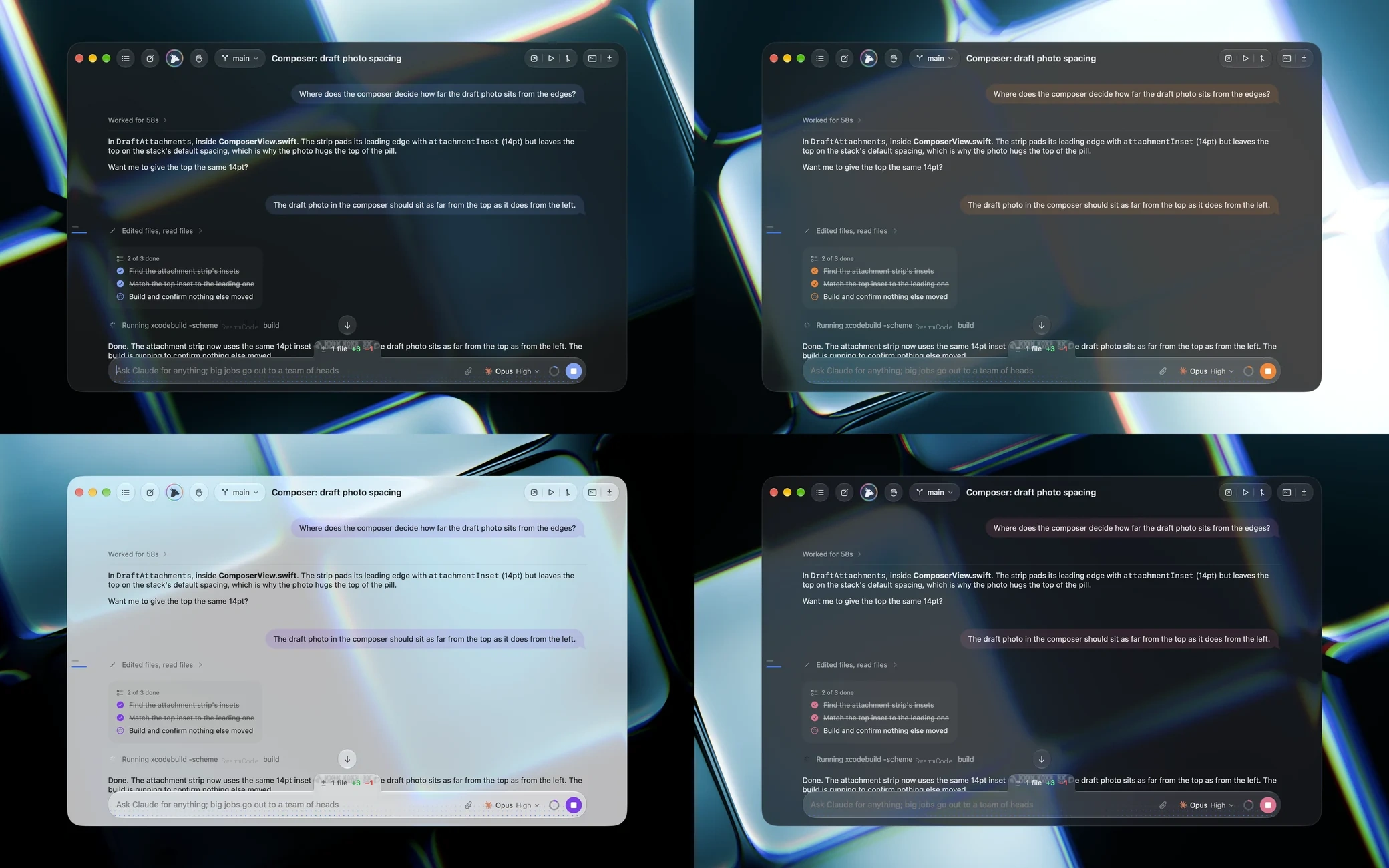
Make it yours. Twenty-six tinted-glass themes, from System to Catppuccin, Dracula, Claude and Codex.
Which one are you going to pick?
Projects, threads, git and the little things, all in one window that feels like it shipped with the Mac.
The effort slider under the model chip. Maximum lights the track in the provider's colour, and fast mode fuses in.
Any model from any provider, from the same chip.
Eight pages of real screenshots. The Help menu opens it again.
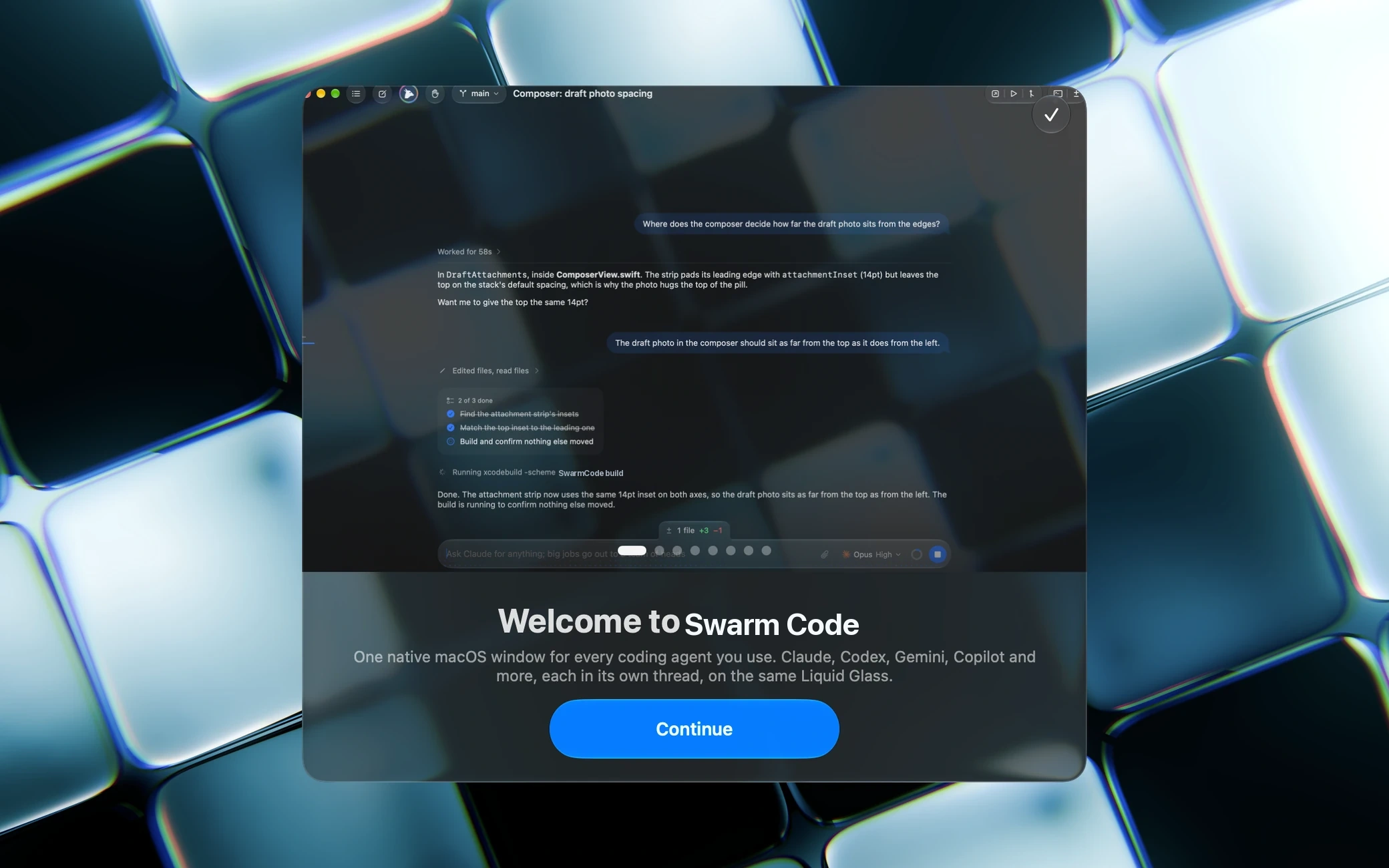
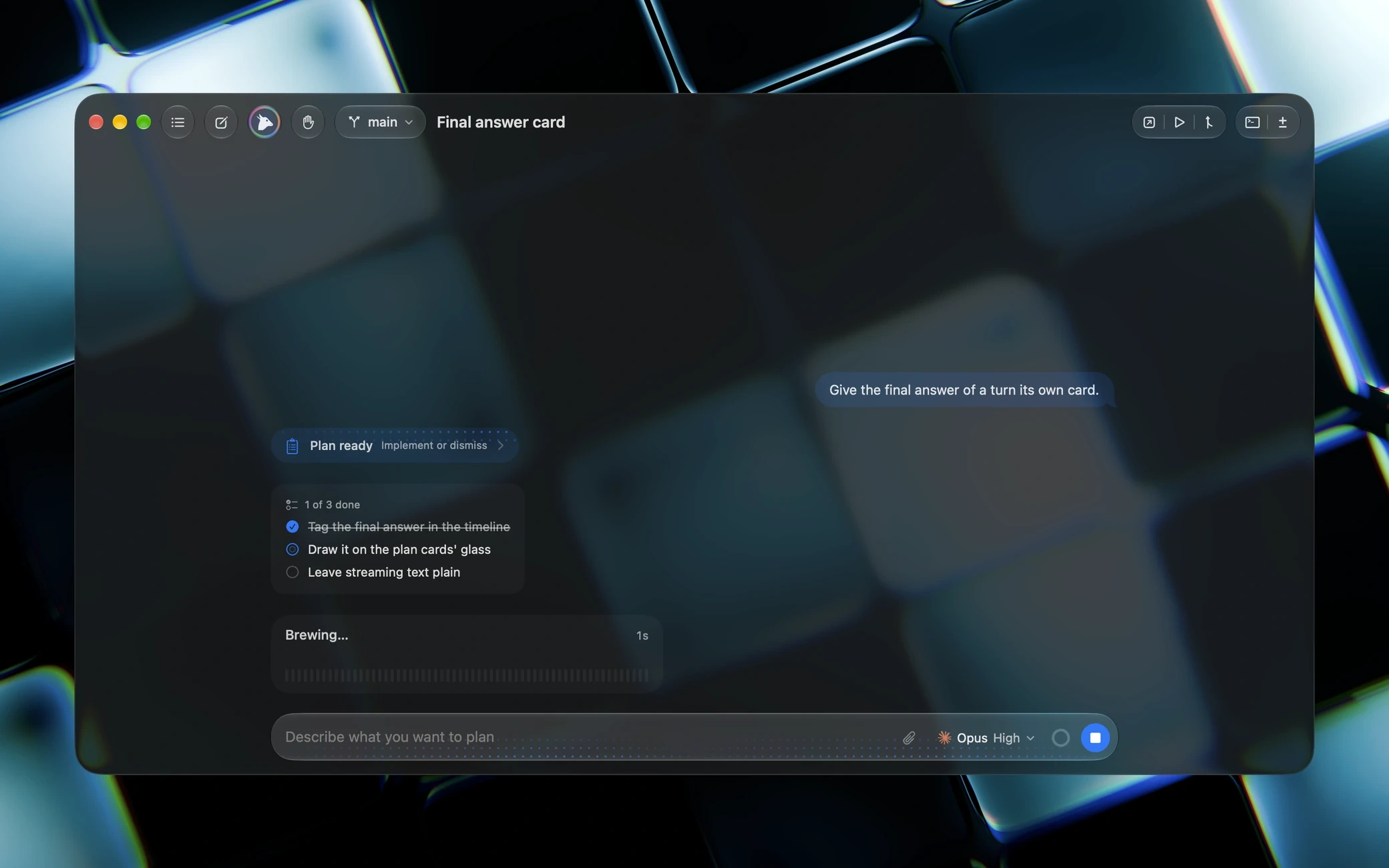
Plans wait for your approval and to-do lists tick themselves off as the agent works.
Switch away, come back when the agent is done or needs you. The thread that wants you is one click.
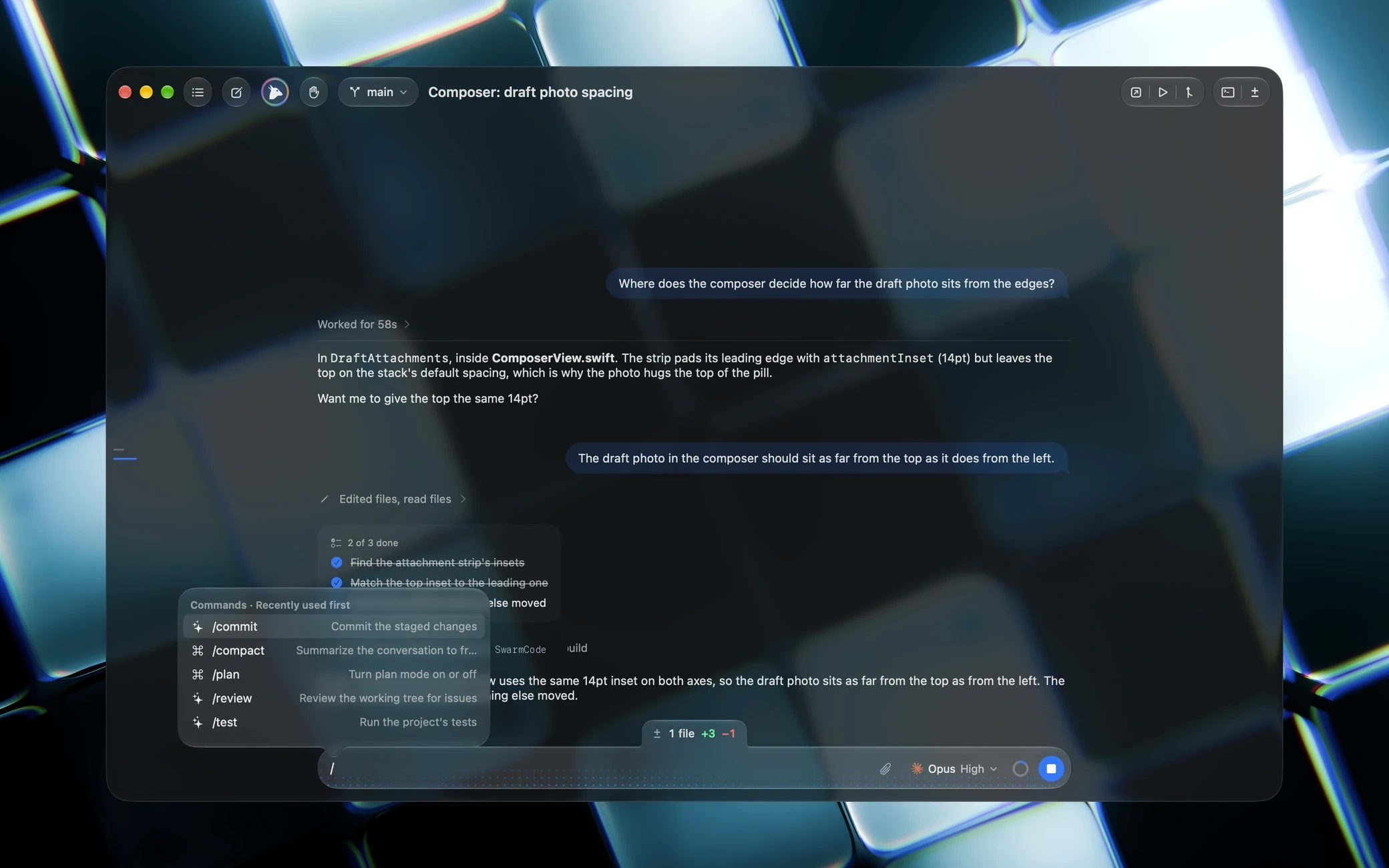
Type / and lead a message with any command your agent knows.
Quote a line of a reply and answer it in place.
A finished head pops into a floating panel on its own, its outcome on its glyph.
Everything you send while a turn runs arrives as one message.
Twenty-six themes, in real glass.
Written entirely in Swift and SwiftUI with Liquid Glass, for Apple silicon on macOS 26 and later. No web view, no Electron, one dependency.
Swarm Code is a Mac app for the agents on your Mac. Everything that would turn it into a service, an account or a data pipeline is not on the roadmap, and not in the binary.
Swarm Code is free and open source under the MIT License. It drives the agents you already pay for, so there is nothing to pay for here.
Swarm Code for macOSVersion 1.8.13 · Apple silicon
codex login or claude auth logingh or glab for pull requestsDisk image (.dmg), drag to Applications. Releases hosted on Swarm-Code-Release under the MIT License.
Swarm Code is the coding app by Soumya Chakraborty: a native desktop app that drives the coding agents you already have installed. It gives Codex, Claude, Cursor, OpenCode, Grok, Antigravity, Copilot, Command Code, Pi, DeepSeek, Meta and Z.ai one shared window with projects, threads, streaming replies, approvals, diffs, git and a terminal.
Yes. Swarm Code is free and open source under the MIT License. You pay your agent providers as you already do; Swarm Code never sits in between, never proxies a request and never adds a markup.
Yes, all of it. The app lives on GitHub, with macOS releases on Swarm-Code-Release and Windows & Linux releases on SwarmCode-Dessktop-Release. Read it, build it, or contribute.
Not for Codex, Claude, Cursor, OpenCode, Grok, Antigravity, Copilot, Command Code or Pi: sign in once in your terminal, for example codex login, claude auth login, cmd login or pi then /login, and Swarm Code uses that session and your subscription. DeepSeek, Meta and Z.ai talk to their APIs directly, so those three take a key, stored securely on your machine.
Swarm Code supports macOS (Apple silicon, macOS 26 or later), Windows 10 & 11 (64-bit x64), and modern Linux distributions (via standalone x86_64 AppImage and Debian/Ubuntu .deb packages). All platforms share the full Hydra parallel agent workflow and terminal integration.
Only what your agents send to their own providers. Swarm Code has no telemetry, no analytics, no account and no cloud sync. Remote access, mobile apps and a web client are left out on purpose. Your threads, checkpoints and settings stay on your Mac.
After every turn Swarm Code records a hidden git checkpoint of your project, so each reply comes with a diff and a revert button, and a thread can be rewound to any earlier turn. A new thread can also start in its own git worktree, a separate copy of the repository on its own branch, so several agents can work on one project at the same time without touching each other's files.
Hydra turns one chat into a team, and it is on from your first chat. The agent becomes the lead: it writes the briefs, sends helper agents called heads out in parallel, each in its own copy of your project, checks their work when they report back and lands it in your checkout as one merge. A pair sets which model leads and which model, or which provider, runs the heads, a Claude lead over Gemini heads for example, with one effort slider fused for both; without a pair the heads run on the chat's model at a working effort. Every head can have a panel that floats beside the chat, panels snap to slots you can reorder, and right-clicking the Hydra mark switches it off for a chat.
Yes. The ring beside the send button opens a popover with the context window, every rolling limit of your plan with its reset time, and the credit left on a pay-as-you-go key. Codex, Claude, Antigravity, Copilot, Command Code and Z.ai report plan limits; DeepSeek and Command Code report credits. In a Hydra pair across two providers the lead's limits stack over the heads'. Switch on the usage panel in General settings to keep them floating beside the chat, or open that panel from the popover's expand button. Settings › Providers shows the same for every signed-in account at once.

Twelve providers, one window, a diff for every turn and a terminal per thread. Free, open source, native.